Assign IAM role
Assign IAM role to Cloud9 instance
-
In the Cloud9 environment interface
- Select the Cloud9 icon on the right root
- Select Manage EC2 instance

-
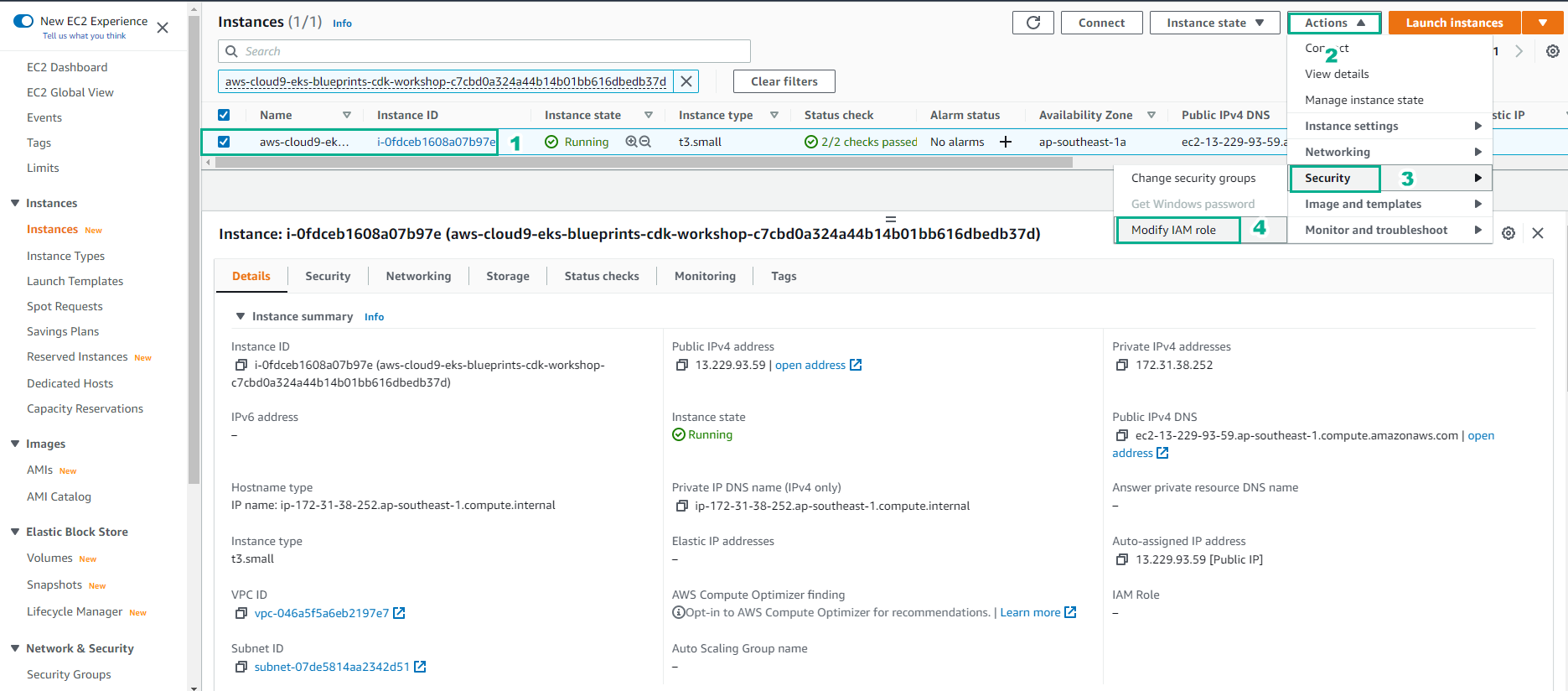
In the EC2 instance . interface
- Select Cloud9 instance
- Select Actions
- Select Security
- Select Modify IAM role
-
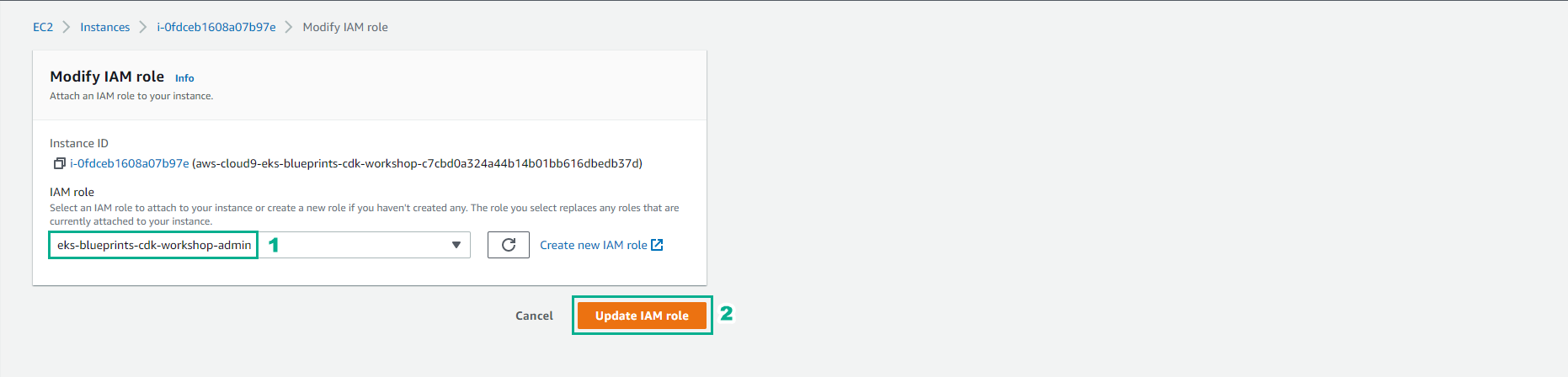
In the Modify IAM role interface
- Select eks-blueprints-cdk-workshop-admin role
- Select Update IAM role