Giới thiệu add-ons
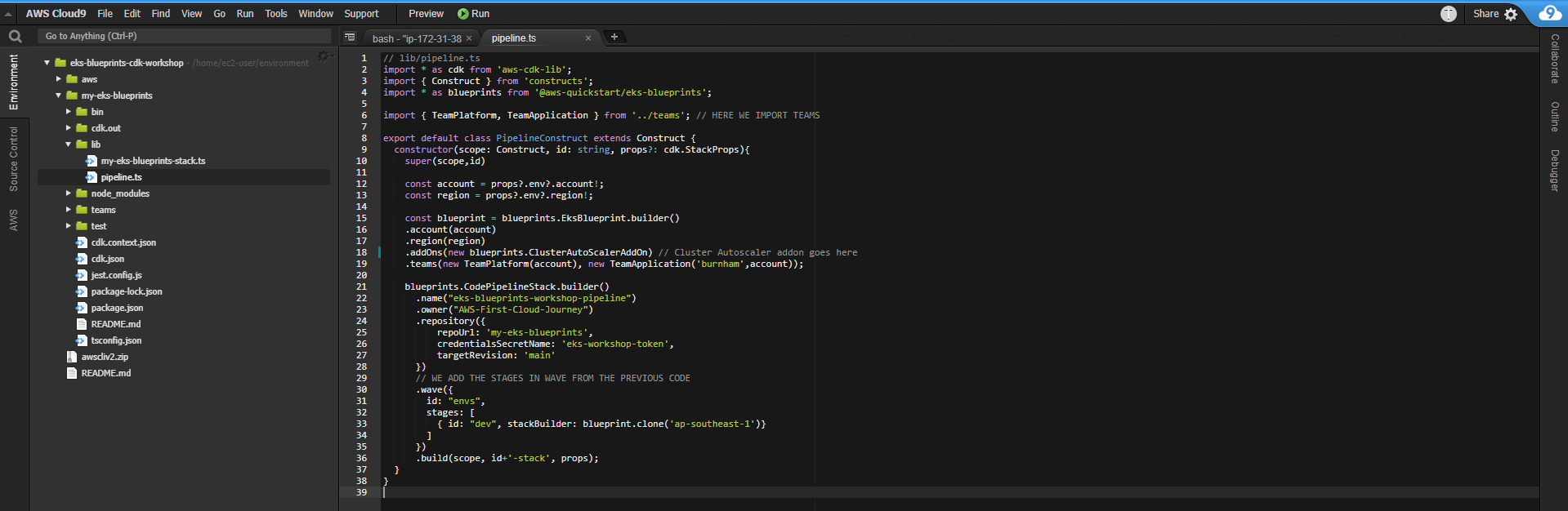
- Thêm một add-on vào template đơn giản như thêm phương thức .addOns vào blueprints.EksBlueprint.builder(). Chúng ta sẽ sử dụng Cluster Autoscaler làm ví dụ để cho thấy việc add-ons sử dụng EKS Blueprint đơn giản như thế nào. Thêm Cluster Autoscaler vào template lib/pipeline.ts của bạn như được hiển thị bên dưới:
// lib/pipeline.ts
import * as cdk from 'aws-cdk-lib';
import { Construct } from 'constructs';
import * as blueprints from '@aws-quickstart/eks-blueprints';
import { KubernetesVersion } from 'aws-cdk-lib/aws-eks';
import { TeamApplication, TeamPlatform } from '../teams';

export default class PipelineConstruct extends Construct {
  constructor(scope: Construct, id: string, props?: cdk.StackProps) {
    super(scope, id)

    const account = props?.env?.account!;
    const region = props?.env?.region!;

    const blueprint = blueprints.EksBlueprint.builder()
      .account(account)
      .region(region)
      .clusterProvider(
        new blueprints.GenericClusterProvider({
          version: 'auto',
        })
      )
      .addOns(new blueprints.ClusterAutoScalerAddOn) // Cluster Autoscaler addon goes here
      .teams(new TeamPlatform(account), new TeamApplication('burnham', account));

    blueprints.CodePipelineStack.builder()
      .name("eks-blueprints-workshop-pipeline")
      .owner("your-github-username")
      .repository({
          repoUrl: 'your-repo-name',
          credentialsSecretName: 'github-token',
          targetRevision: 'main'
      })
      .wave({
        id: "envs",
        stages: [
          { id: "dev", stackBuilder: blueprint.clone('ap-southeast-1') }
        ]
      })
      .build(scope, id + '-stack', props);
  }
}
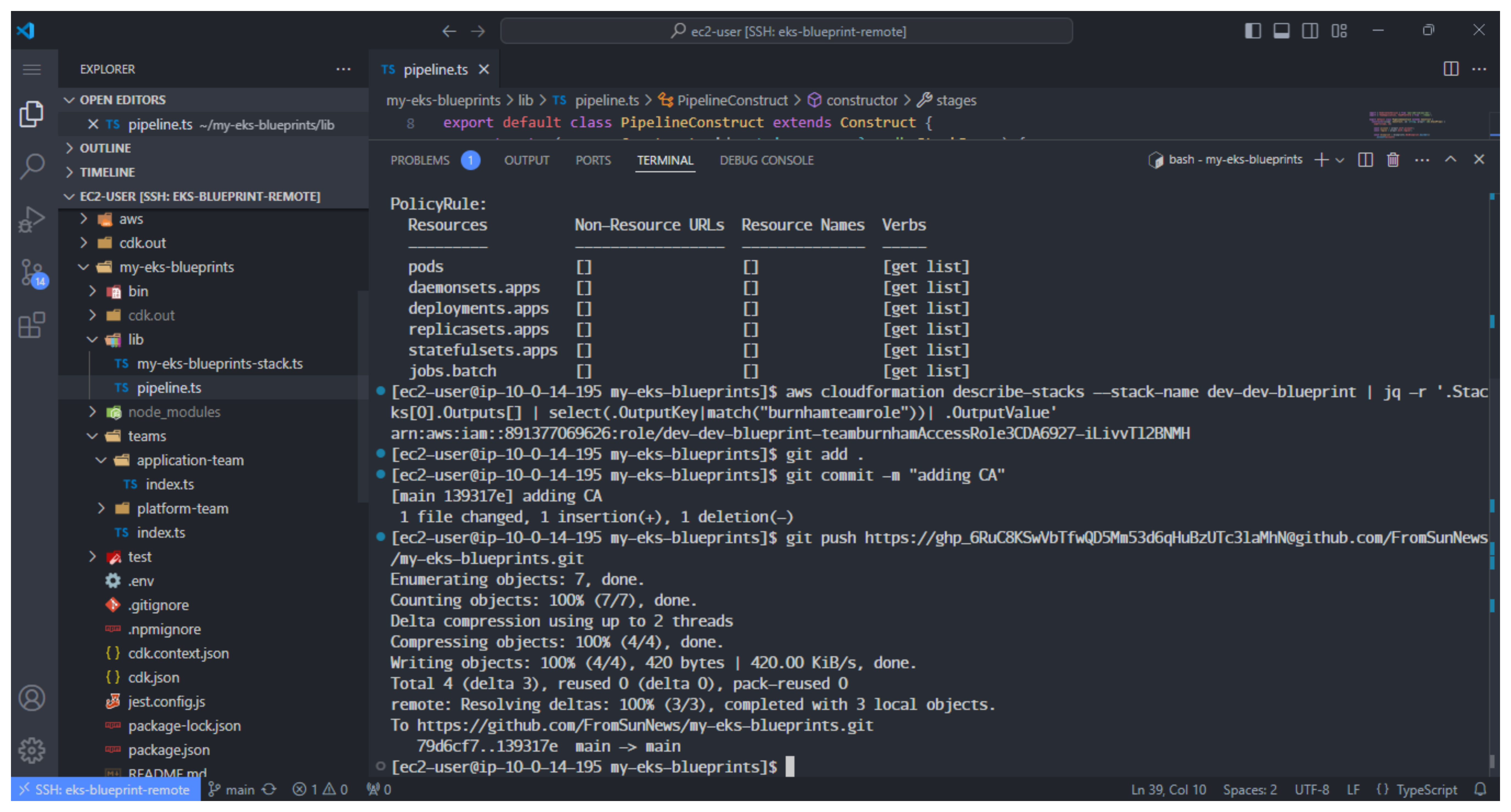
- Nếu bạn chưa quen với Cluster Autoscaler, đây là một công cụ tự động điều chỉnh số lượng node trong cluster của bạn khi các pod bị lỗi do không đủ tài nguyên hoặc các pod được lên lịch lại cho các node khác do không được sử dụng hết trong một khoảng thời gian dài. Push các thay đổi của bạn vào repo GitHub của bạn để bắt đầu quy trình.
git add .
git commit -m "adding CA"
git push https://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@github.com/AWS-First-Cloud-Journey/my-eks-blueprints.git
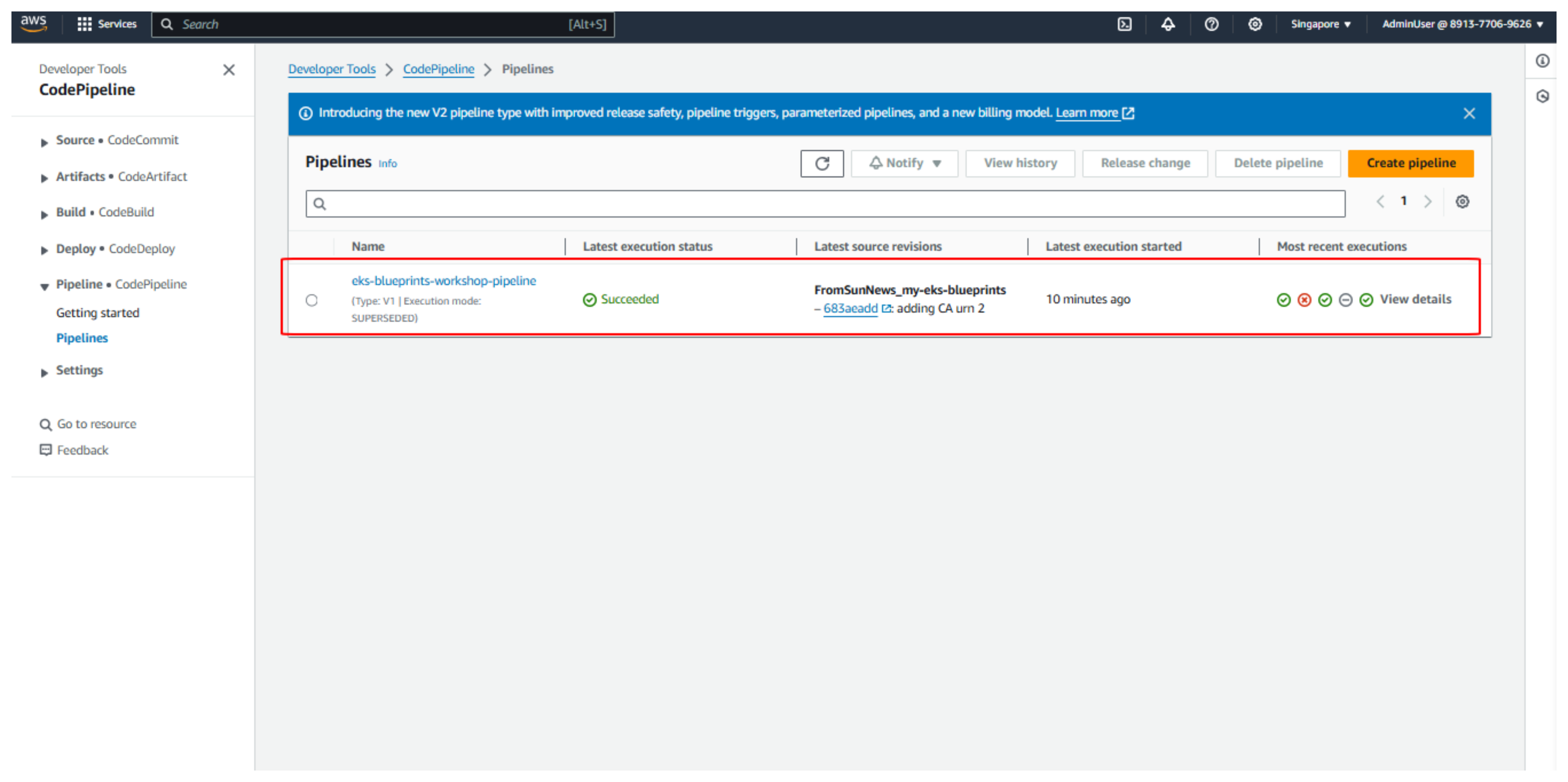
- Đợi khoảng 15 phút sẽ hoàn thành.
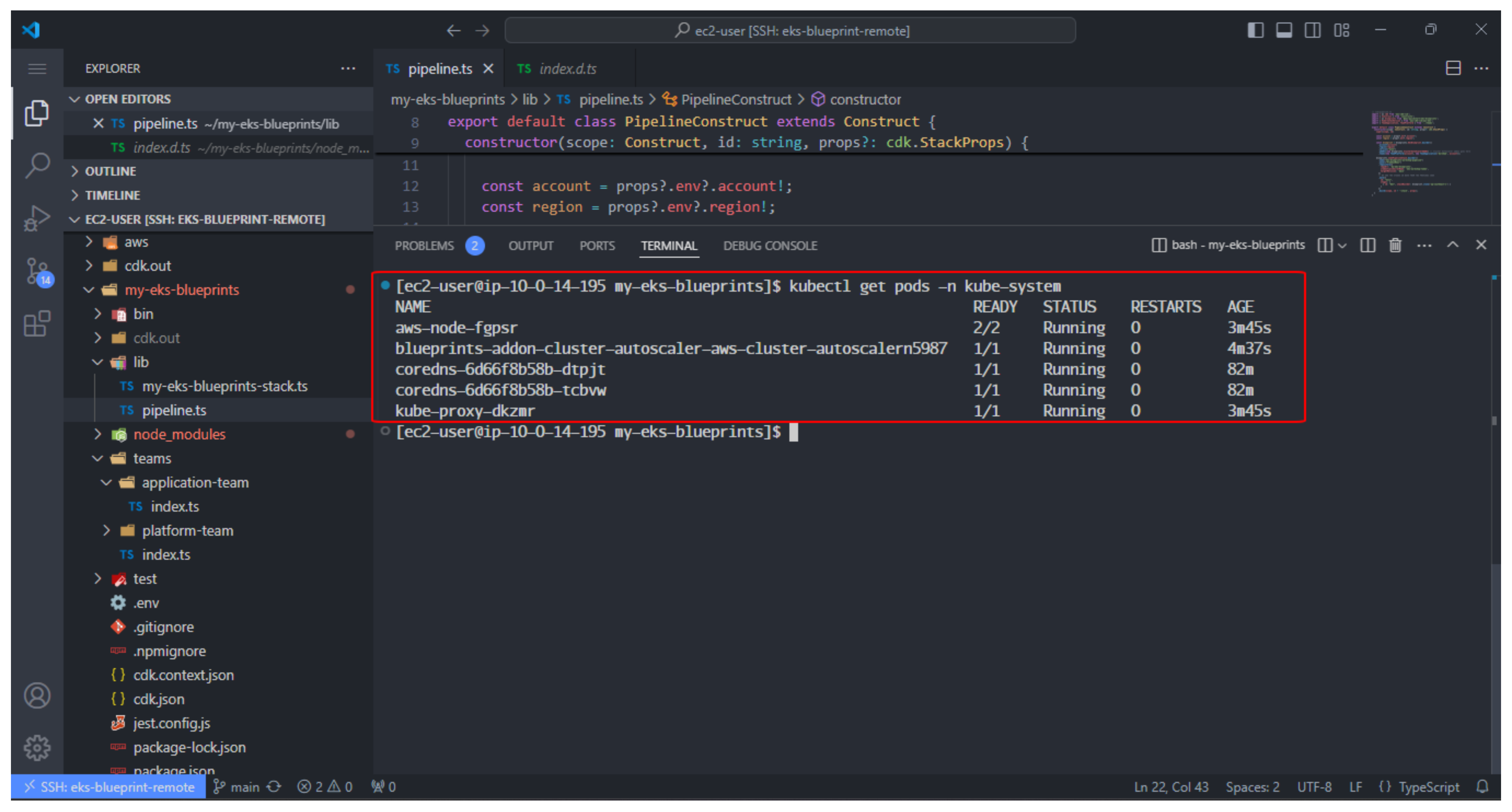
- Sau đó, chạy lệnh sau để kiểm tra Cluster Autoscaler đang chạy
kubectl get pods -n kube-system